 RIG//SYNC
Built for the stage, not the studio
Every player.
Every song.
Perfectly in sync.
No more shouted song changes, out-of-date group chats, or paper setlists flapping off the stand. When the director changes the song, everyone's screen updates — instantly.
DIRECTOR
Now playing
Brown
Eyed Girl
MUSICIAN
Now playing
Brown
Eyed Girl
See RigSync in action
92 seconds. Your whole band, in sync.
WHY RIGSYNC
No more shouting the song changes.
Function bands, ceilidh bands, cover bands and theatre pits all hit the same problems on stage. RigSync fixes them.
“What’s next?”
Songs called across a noisy stage get missed. With RigSync, the next song appears on every screen the moment it’s called.
Out-of-date setlists.
Paper sets and group chats can’t keep up with requests. RigSync’s queue changes live, without losing your place.
The wrong chart.
Hunting through folders mid-gig wastes time. Each song carries its own chart, lyrics, key, tempo and track.
How it works
- 1
Build your library.
Paste your song list from a spreadsheet, then add charts, lyrics and tracks.
- 2
Invite the band.
Send one link. Musicians join in seconds on whatever device they bring.
- 3
Call the gig.
The director taps Next Song and the whole band follows, live.
LIVE GIG CONTROL
You call it. They see it.
Run the whole gig from one screen. The band keeps their hands on their instruments.
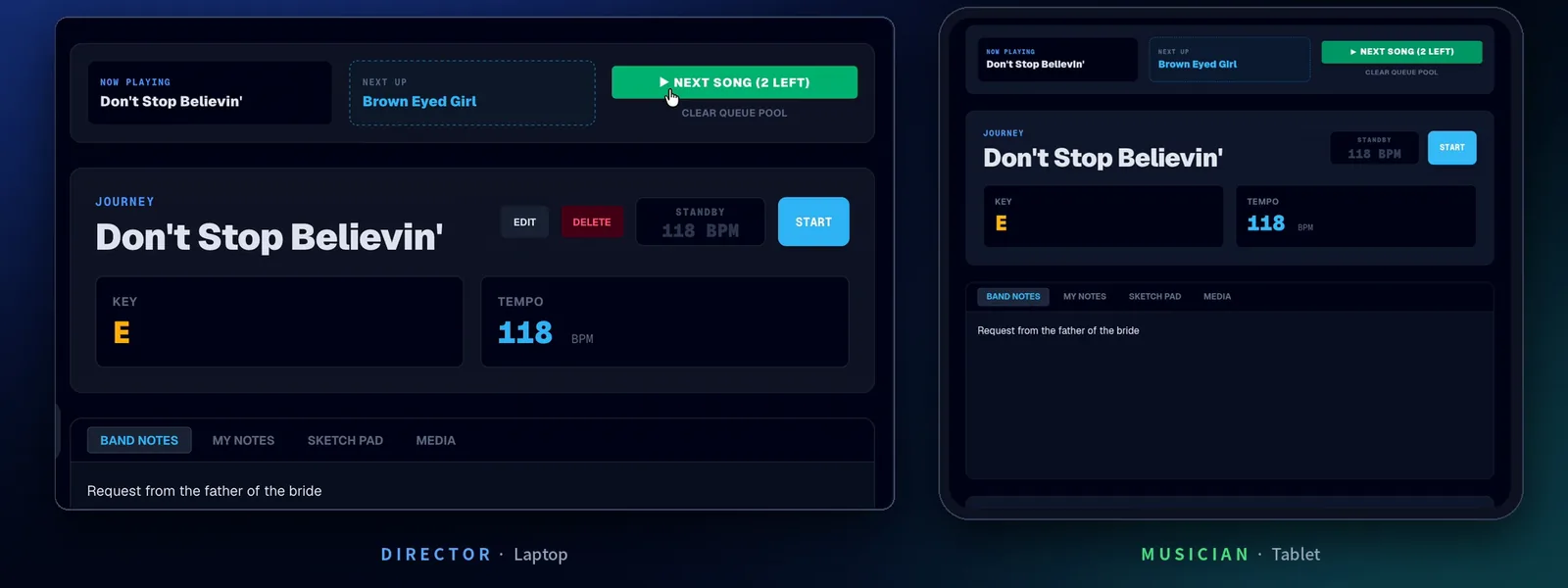
- Start Gig Queue turns any setlist into the live running order.
- Next Song moves the band on, with a count of songs left.
- Now Playing and Next Up on every screen, so nobody is caught out by the next count-in.
- Requests mid-set. Add any song to the queue with +Q or + Pull Song. The gig carries on from where you are.
- Edit the set while it’s live. Add, remove or reorder songs and the queue updates in place.
- Safety checks. Restart from top and Clear queue both ask first, so nobody derails the gig by accident.
- Your call who controls it. Let musicians move the set on, or keep it to the director.
“Crowd request? Tap it in. The set carries on and nobody loses their place.”
SONG LIBRARY
Your whole repertoire, sorted.
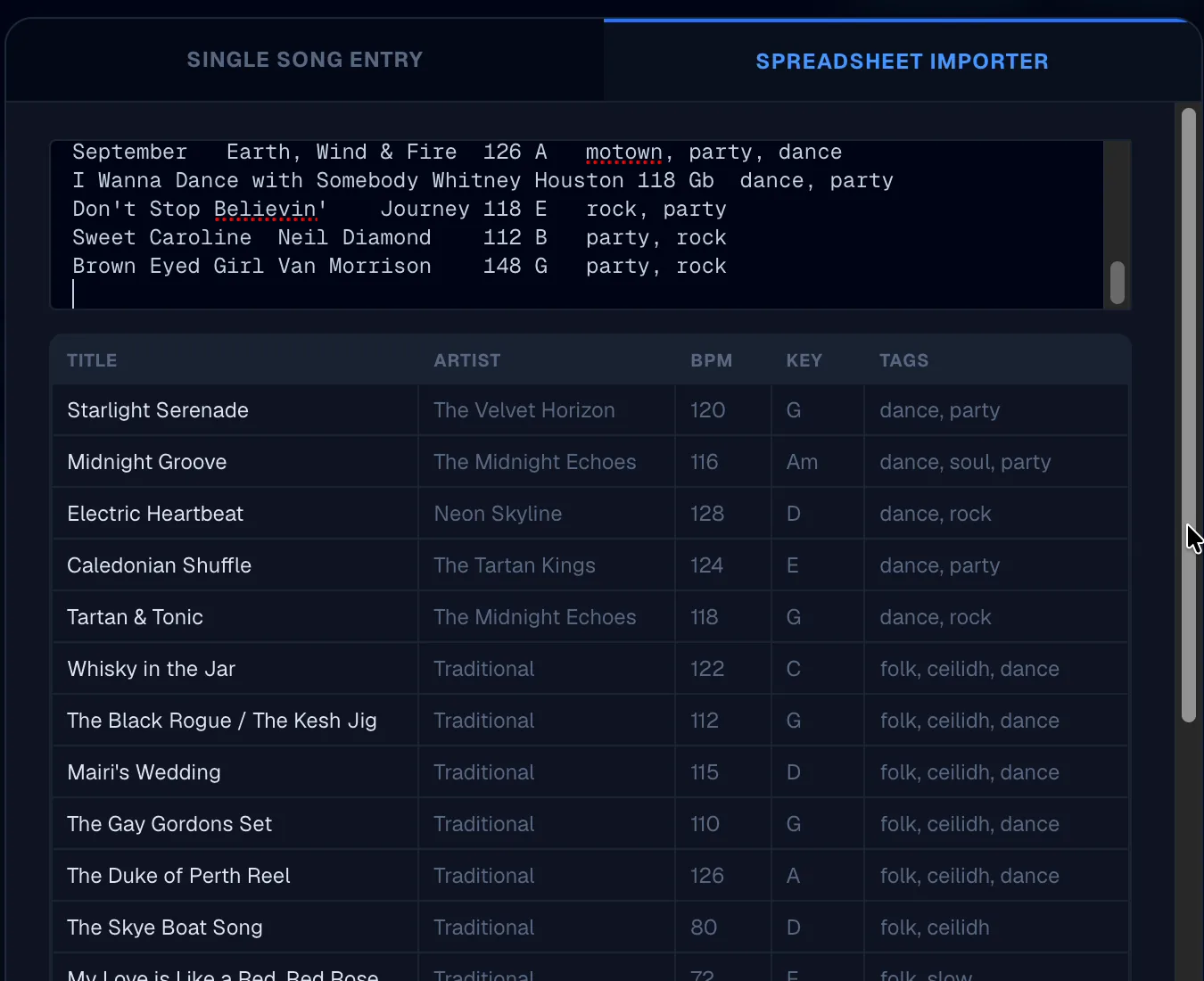
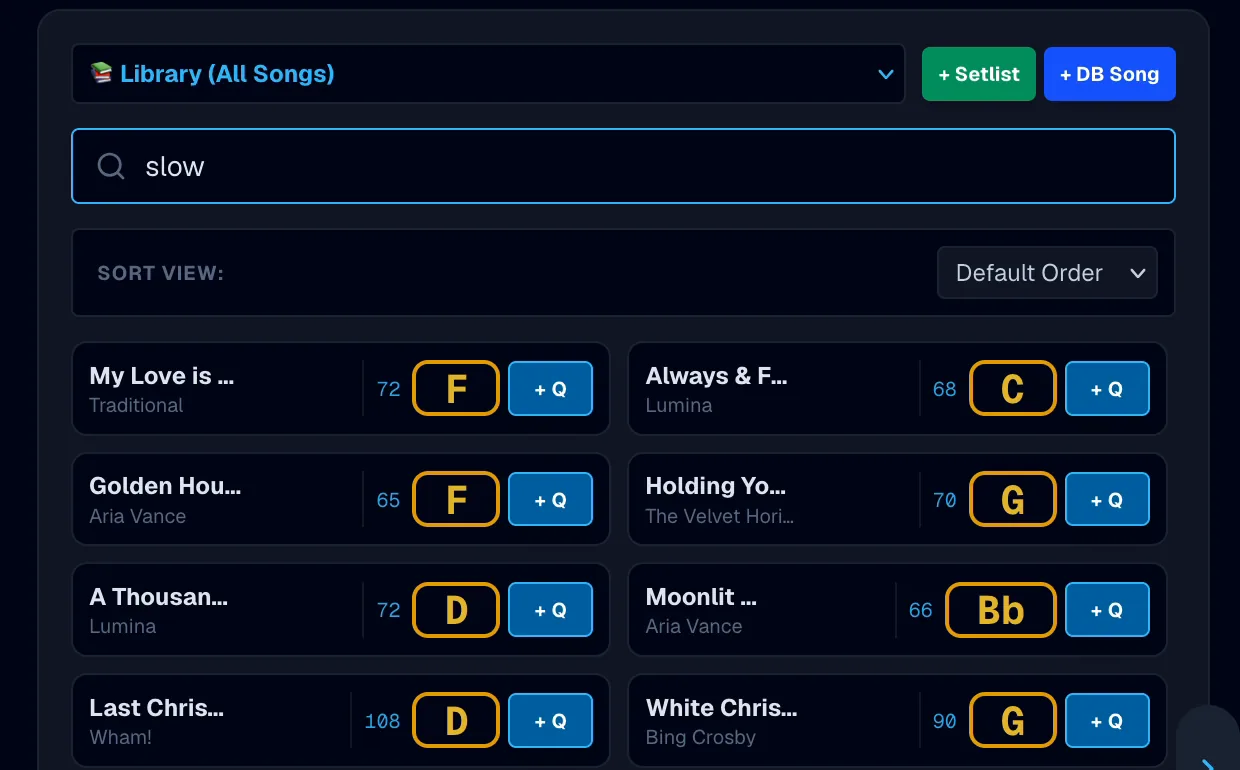
Every song the band plays, with key, tempo and tags, searchable in a second.
- Spreadsheet import. Copy your song list straight from Excel or Google Sheets. A live preview shows every row and flags anything missing a title before anything is saved.
- Single song entry. Title, artist, tempo, key and tags, with the track, chart and lyrics attached in the same step.
- Search by title, artist or tag: slow, first dance, ceilidh, christmas.
- Sort by date added, title, artist, tempo or key, in proper musical order.
- BPM and key on every song, at a glance.
TRACKS, CHARTS AND LYRICS
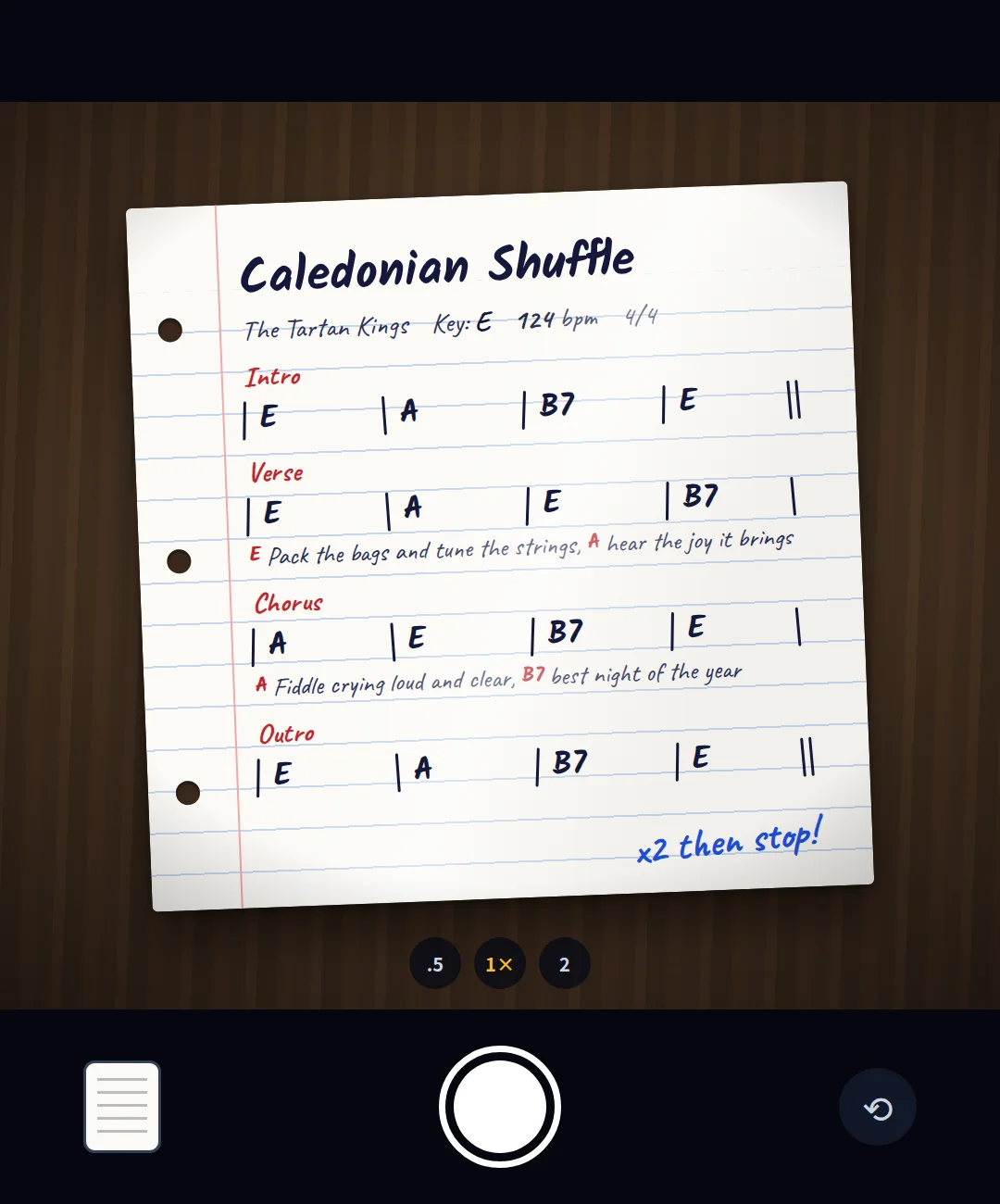
Everything a player needs, with the song.
No more folders, binders or “can you send me that chart?” texts before soundcheck.
- Charts as a PDF, an image or a photo taken in the app.
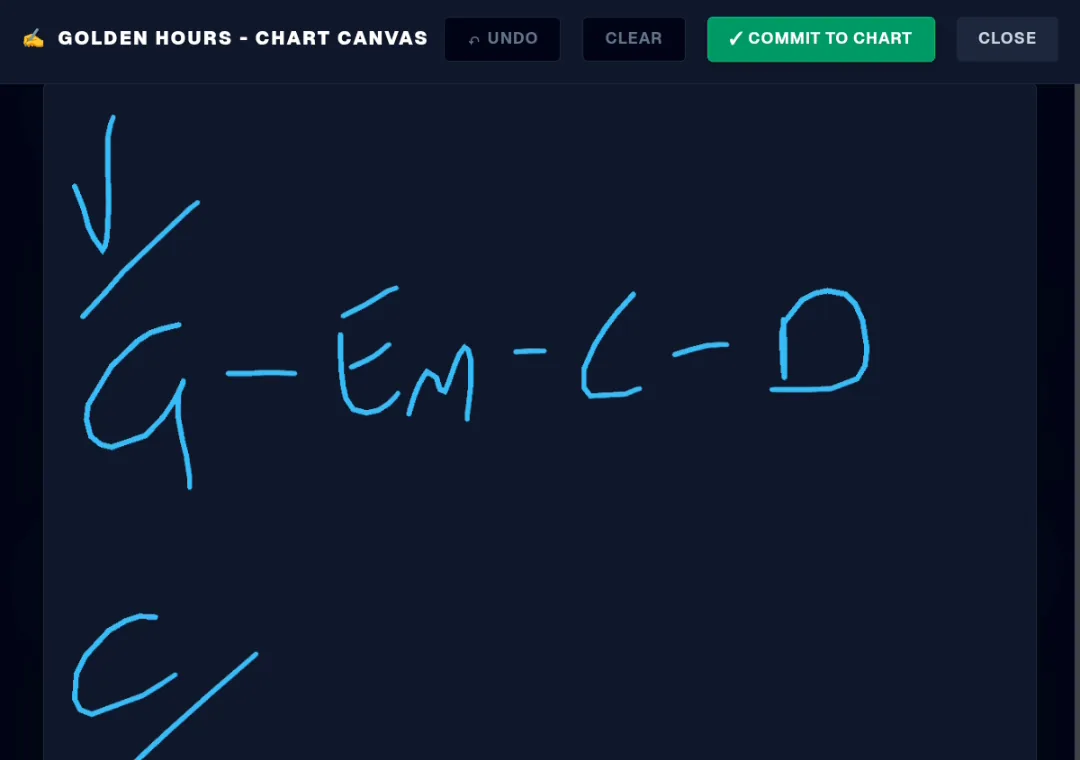
- Sketch Pad. Draw a quick chord chart with a finger or stylus and commit it as the song’s chart for the whole band.
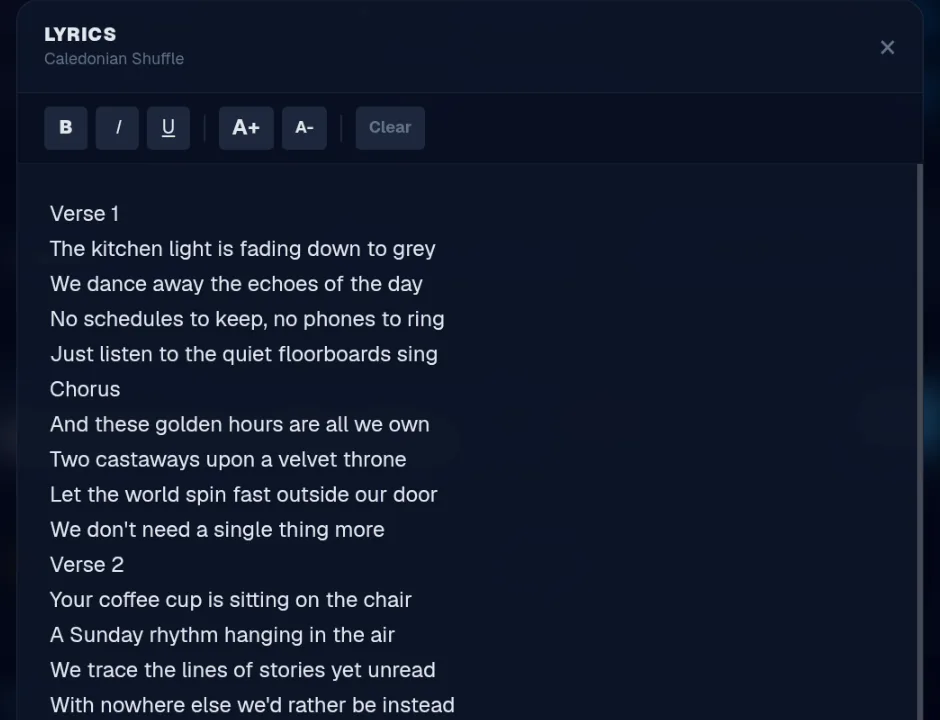
- Lyrics editor. Text pasted from websites is cleaned up automatically.
- Tracks. Attach a backing track or reference recording to each song.
- A player that stays put. Audio keeps playing at the bottom of the screen while you browse other songs.
- Media links. Save a Spotify, YouTube or website link to the original.

SETLISTS AND BAND COMMUNICATION
Build the set. Change the plan.
Put a set together in seconds, then keep everyone up to date on the night.
- As many setlists as you need: 1st half, wedding evening, ceilidh.
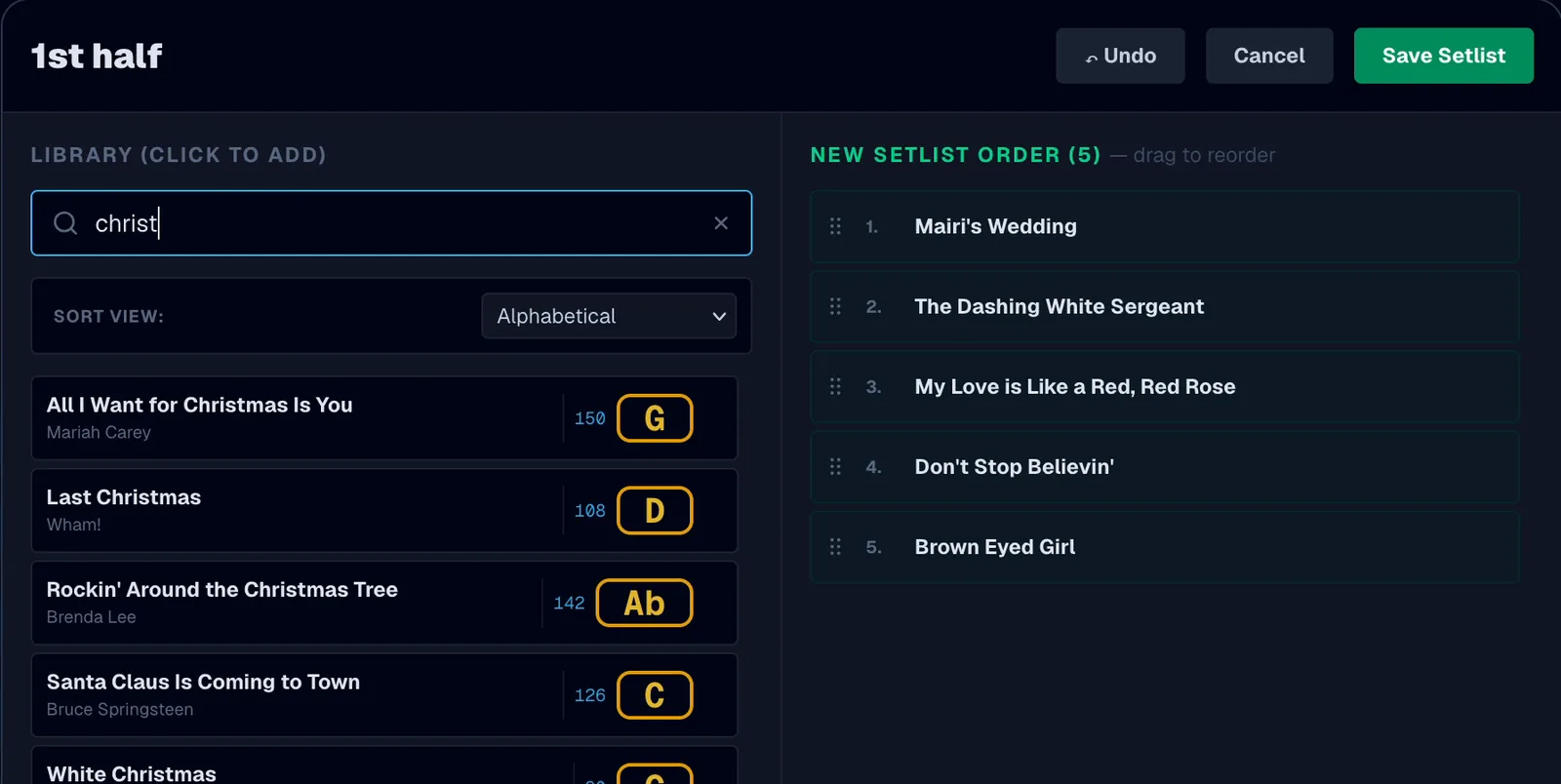
- Search, sort and click to add, then drag to reorder, with Undo for mistakes.
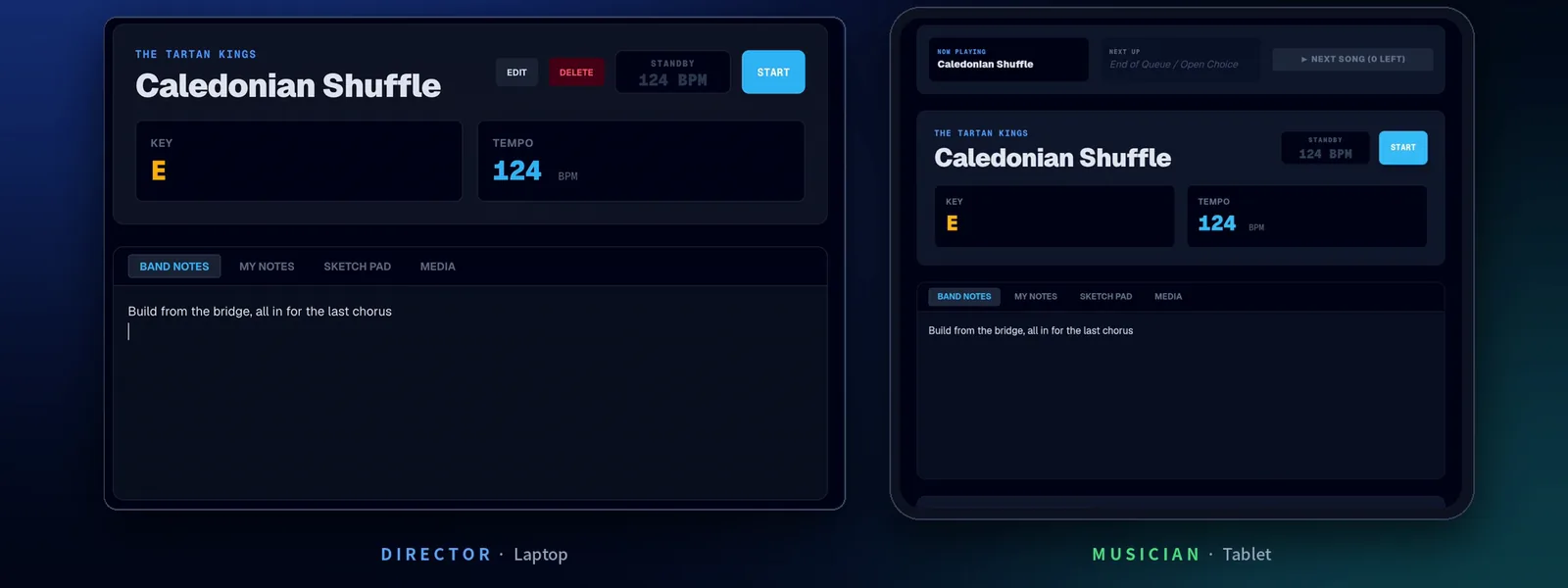
- Band Notes. Shared arrangement changes, e.g. “extra chorus at the end, watch for keys to cut”. Everyone sees them straight away.
- “… is typing”. The band sees who’s writing a note, even from another tab.
- My Notes. Private notes for each player: their part, cues, reminders.
REHEARSAL
Everyone on their own song. Together when you say.
Not every rehearsal runs in set order. Let each player work on what they need, then bring the whole band back with one tap.
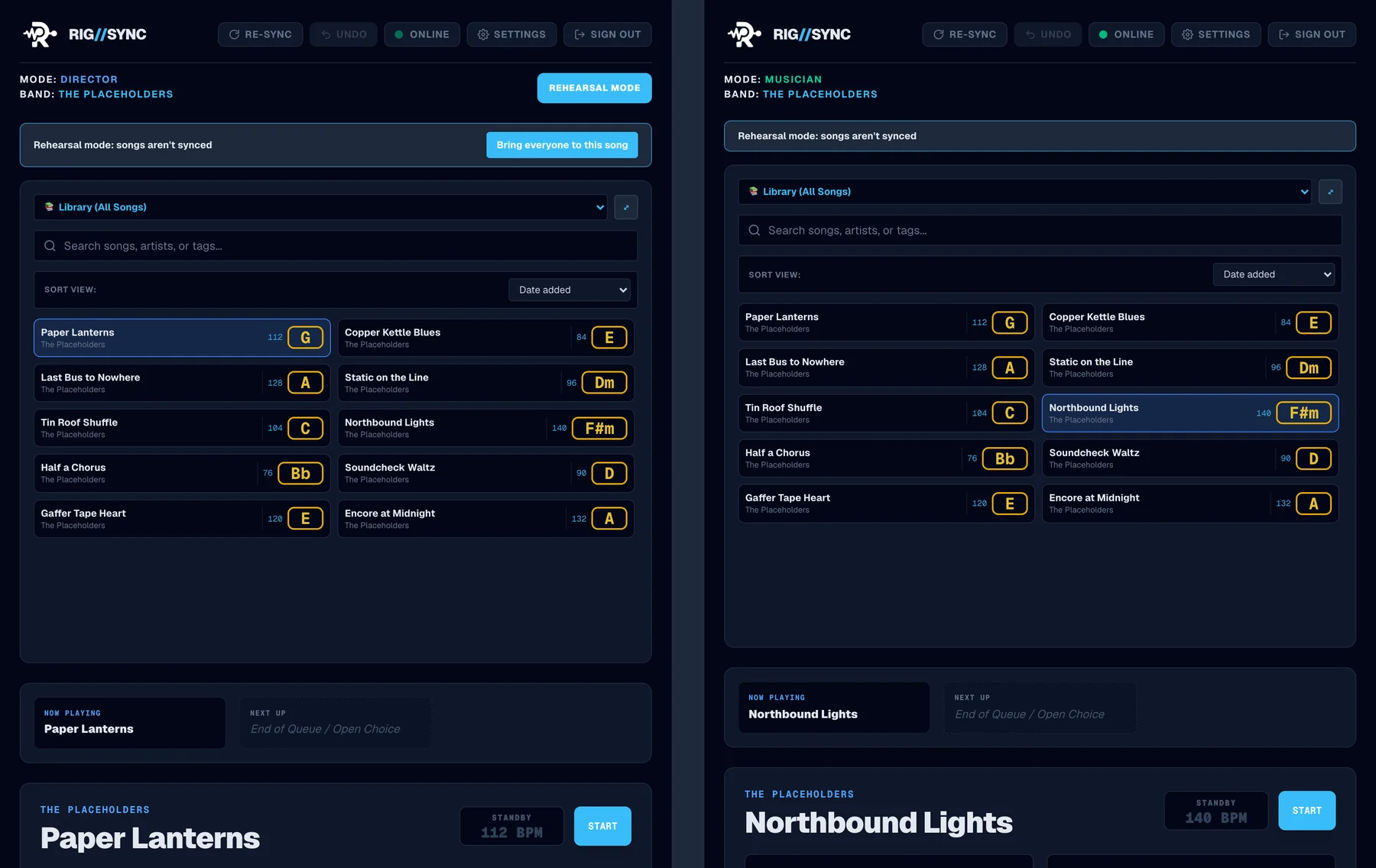
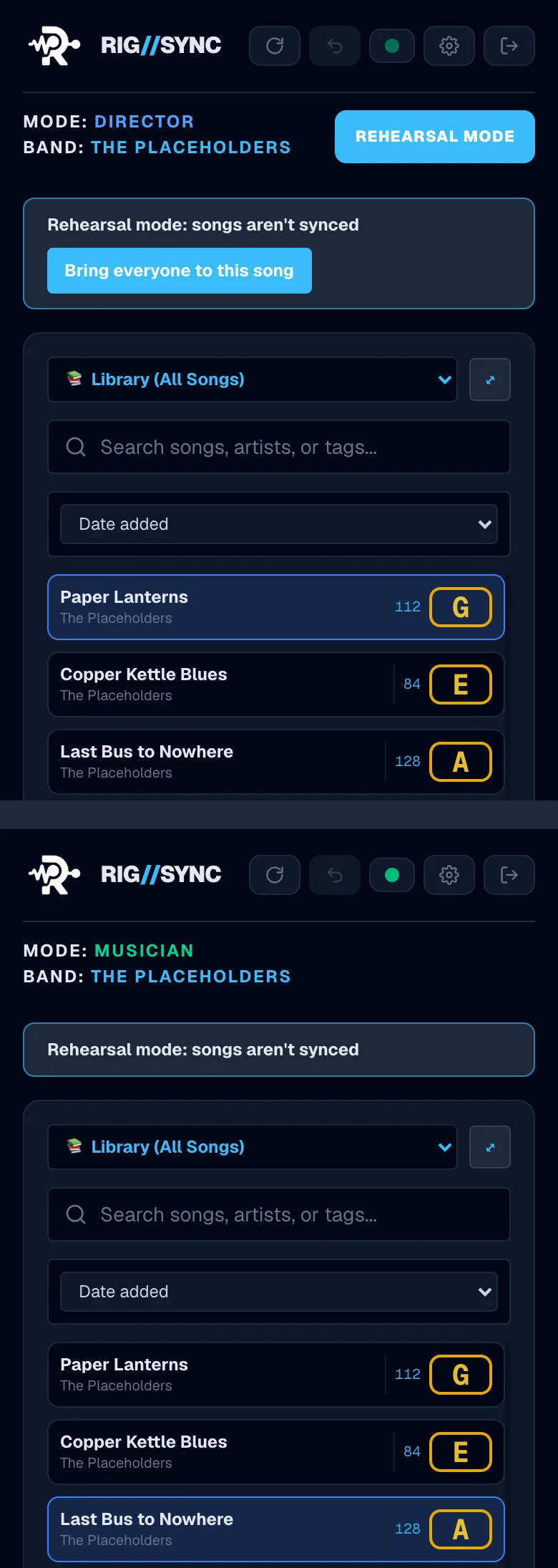
- Rehearsal mode. The director switches it on and the band’s songs stop syncing. Everyone opens whatever they need, and a banner on every screen shows the mode is on.
- Band Notes still sync, so an arrangement change reaches the whole band.
- Bring everyone to this song. One tap and the whole band is on the director’s song.
- Back to normal in one tap. Switch it off, or start the gig, and everyone follows the director again.
- Browse on my own. Check a part or a lyric on your own screen while the band stays where it is. Your taps don’t move anyone, and Back to the band takes you straight to their song.
- On the Gig Hub too, with no internet.
DEPS
Booked a dep? Sorted.
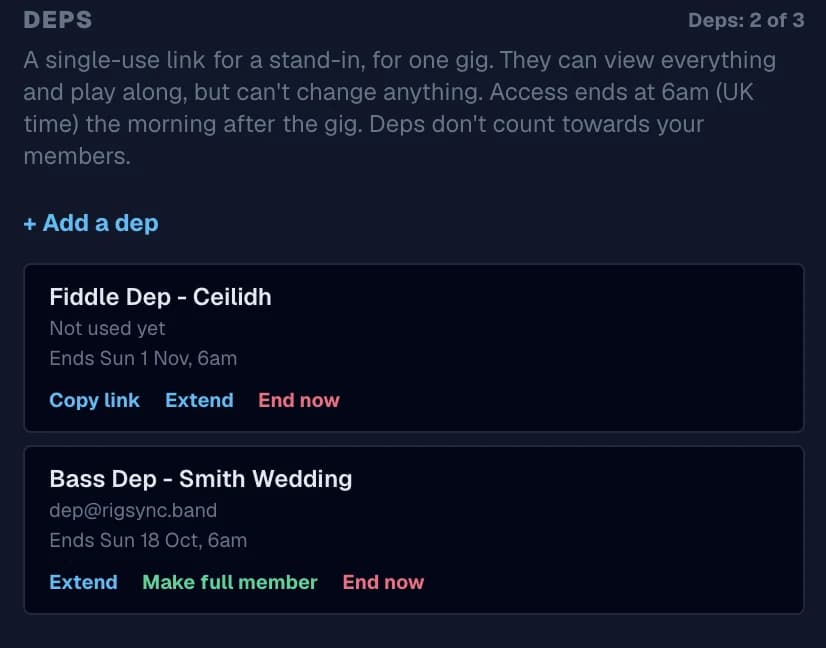
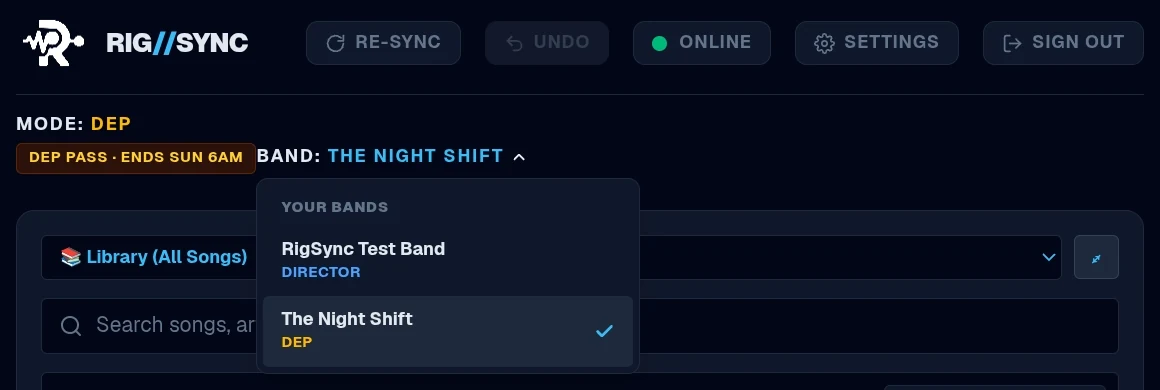
Give a stand-in everything they need for one gig. Their access ends by itself the morning after.
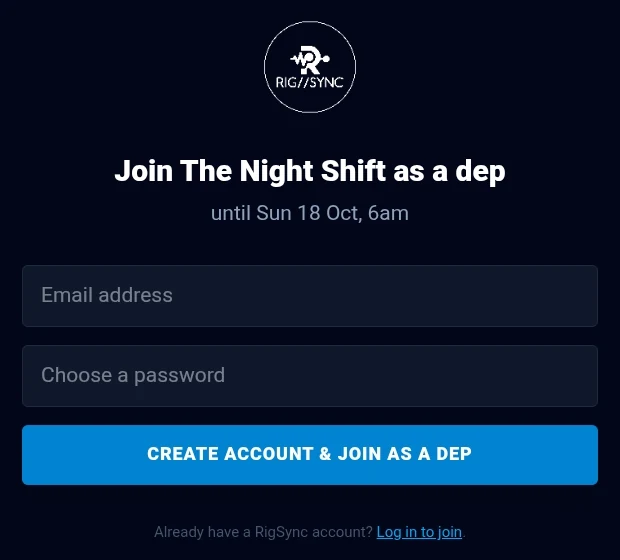
- One link, one gig. Pick the gig date, add a label and send a single-use link.
- See everything, change nothing. Deps get the charts, lyrics, setlists, tracks and live queue, but can’t edit anything. Checked on the server.
- Ends by itself at 6am the morning after the gig, and the band’s offline copy is removed from their device.
- Up to 3 deps at a time, on top of your band’s member places.
- Extend, end early, or make them a full member if they’re joining for good.
- One login for every band. Players in more than one band switch between them in one tap.
“Dep for the wedding on Saturday? Send the link. Sunday morning, they're gone.”
OFFLINE
No signal? Keep playing.
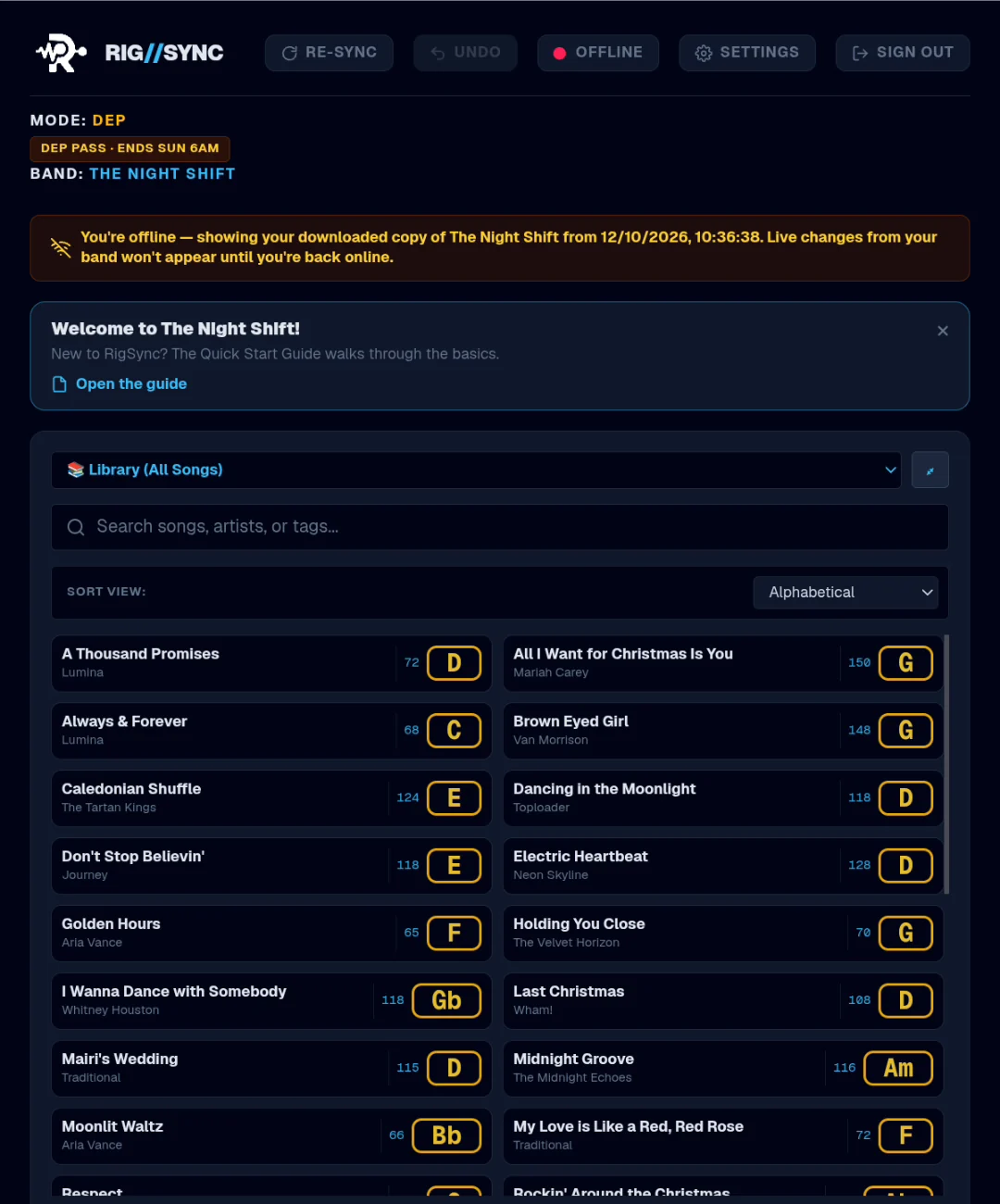
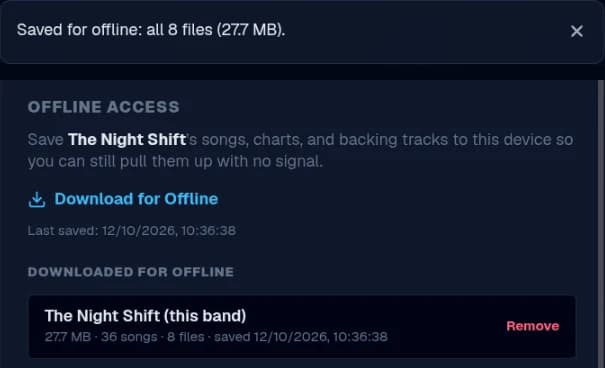
Venue Wi-Fi drops. Function suites have no signal. Download the band to each device and RigSync keeps working.
- Download for Offline saves the band’s songs, setlists, tracks, charts and lyrics to each device, and tells you if anything didn’t save.
- Signal drops mid-gig? RigSync notices by itself and switches to the downloaded copy. Songs, tracks, charts and lyrics keep opening.
- Install it as an app on Android, iPhone or iPad. It opens full screen, even with no signal.
- Back online, it catches up with the band by itself.
GIG HUB
Works with no internet.
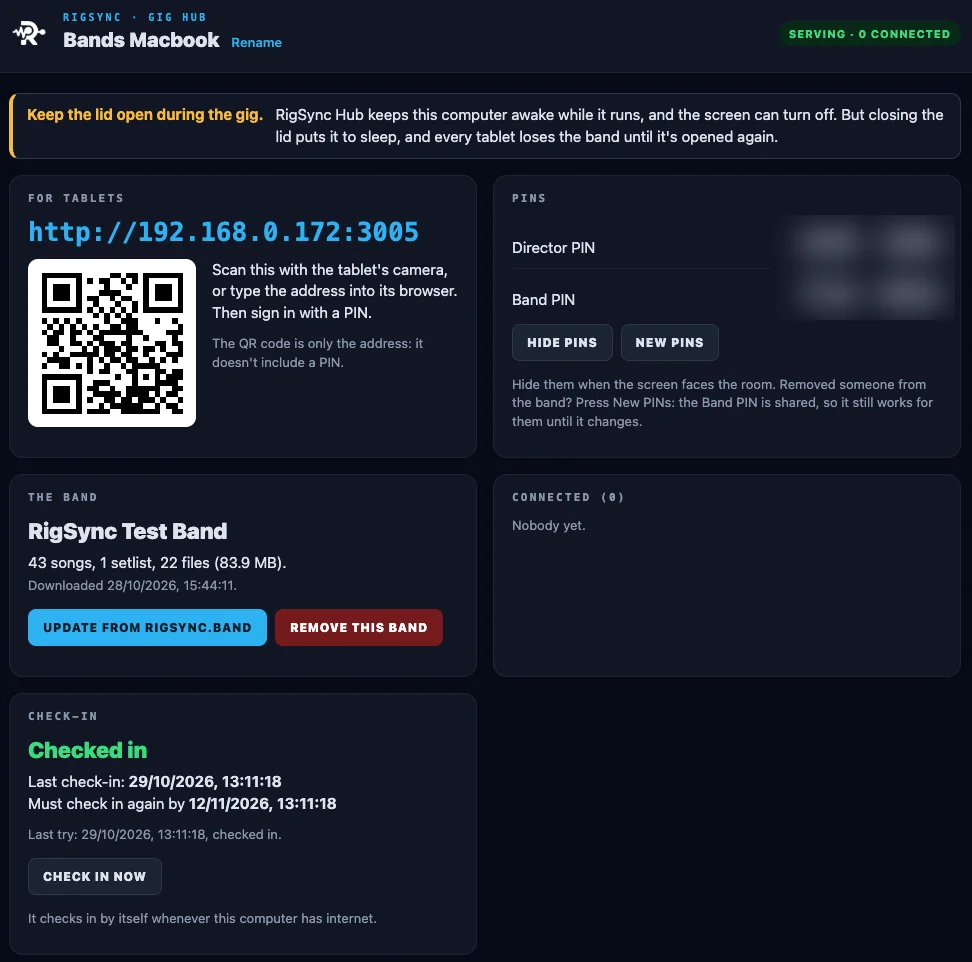
No signal at all? Bring the band’s own RigSync. The Gig Hub runs on a laptop and serves your band to every tablet over Wi-Fi, with no internet.
- A laptop runs it. RigSync Hub, for Mac or Windows. Put the band on it at home while you have internet: songs, setlists, charts, lyrics and tracks.
- Tablets join over Wi-Fi. Any Wi-Fi the laptop and tablets share, even one with no internet. Scan the QR code on the laptop and sign in with a PIN.
- Live sync, from the laptop. The director changes the song or runs the gig queue, and every tablet follows. Band Notes too.
- It checks in when it can. The hub needs the internet once every 14 days to keep serving the band. Nothing is deleted if it stops.
- Included with every subscription, and in the 14-day free trial. Directors download it from Settings → Gig Hubs.
RigSync Hub · Laptop
The band's hub
● Serving · 3 connected
Scan to join, then sign in with a PIN.
Director
Song 4
Now playing
Keys
Song 4
Now playing
Bass
Song 4
Now playing
SETTINGS
The director stays in control.
Manage the band and decide what musicians can change.
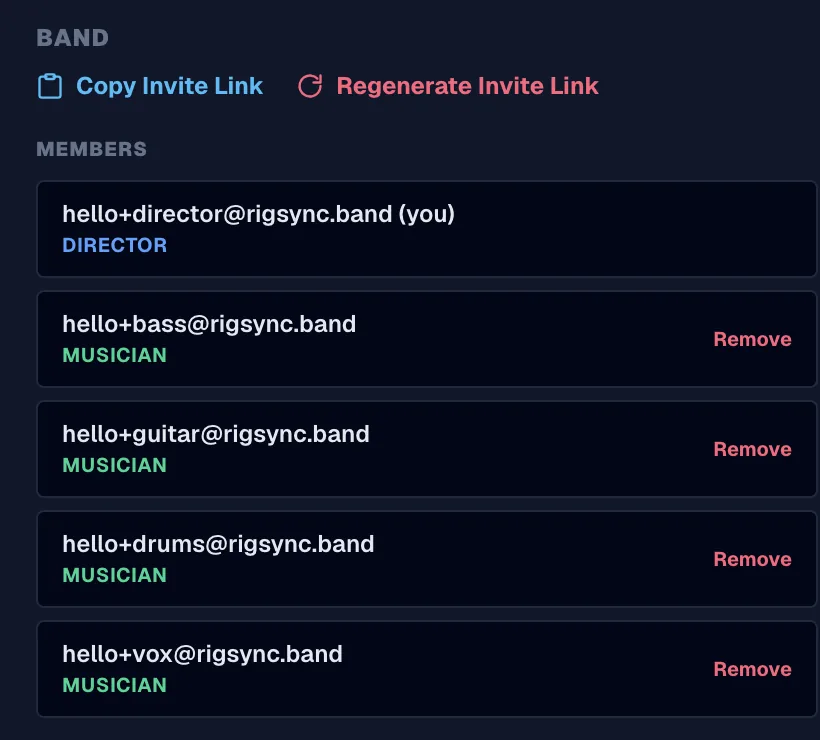
- One invite link for the whole band. Regenerate it after a line-up change to stop the old one working.
- Members list. See everyone and their role, and remove anyone who’s left.
- Deps. Single-use links for stand-ins, one gig at a time.
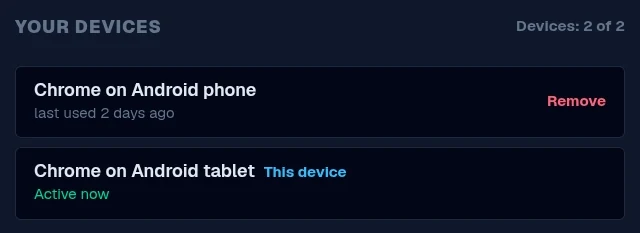
- Your devices. Each account can be signed in on two devices at once, e.g. a tablet on the stand and a phone in the pocket.
- Rehearsal mode. Only the director can switch it on or off.
- Musician permissions, each switched on or off by the director:
- Add and edit songs
- Delete songs
- Control the gig queue
Built to be relied on at a gig
Private to your band.
Only your band can open its charts, lyrics and tracks. Permissions are checked on the server.
Works offline.
Download the band and it keeps working with no signal. The click runs on each device too.
Nothing missed.
Errors stay on screen until dismissed.
Re-sync and Undo.
Catch up in one tap, and undo your own last change.
Your whole band. In sync.
RigSync is in early access for working bands. We'd love yours to be one of them.
Request early accessFollow RigSync on Facebook and Instagram
Questions? hello@rigsync.band
Pricing
Simple pricing for every size of band.
Every plan starts with a 14-day free trial.
Small band
Up to 5 members
Up to 3 deps at a time, on top of your members
Each member on up to 2 devices
£8/month
- Live sync
- Gig queue
- Unlimited songs and setlists
- Tracks, charts and lyrics
- Band notes
- Offline downloads
- 5 GB storage
Most popular
Band
Up to 10 members
Up to 3 deps at a time, on top of your members
Each member on up to 2 devices
£12/month
- Live sync
- Gig queue
- Unlimited songs and setlists
- Tracks, charts and lyrics
- Band notes
- Offline downloads
- 10 GB storage
Large band
Up to 25 members
Up to 3 deps at a time, on top of your members
Each member on up to 2 devices
£20/month
- Live sync
- Gig queue
- Unlimited songs and setlists
- Tracks, charts and lyrics
- Band notes
- Offline downloads
- 20 GB storage
Only the band leader pays. Band members join free with an invite.
RigSync is still in early testing — new sign-ups aren't open to the public yet. Get in touch if you'd like early access.